
Cashly Free For Everyone
Premium budgeting that never leaves your phone.
Not on Google Play yet. Open the downloaded file on your Android phone to install it — if asked, allow your browser to install unknown apps.
Cashly Free For Everyone is a complete budgeting app that runs entirely on your device. There is no account to create, no subscription to cancel, and no data leaving your phone — your finances are stored locally and stay that way.
It is built for people who want a serious view of their money without handing their bank history to a third party.
Why it exists
Most budgeting apps want a login, a subscription, or a connection to your bank. This one wants none of that. Open it and start tracking.
- Works completely offline
- No account, no sign-up, no email required
- No ads and no analytics or tracking of any kind
- Free, permanently, with every feature unlocked
Keep your finances separate
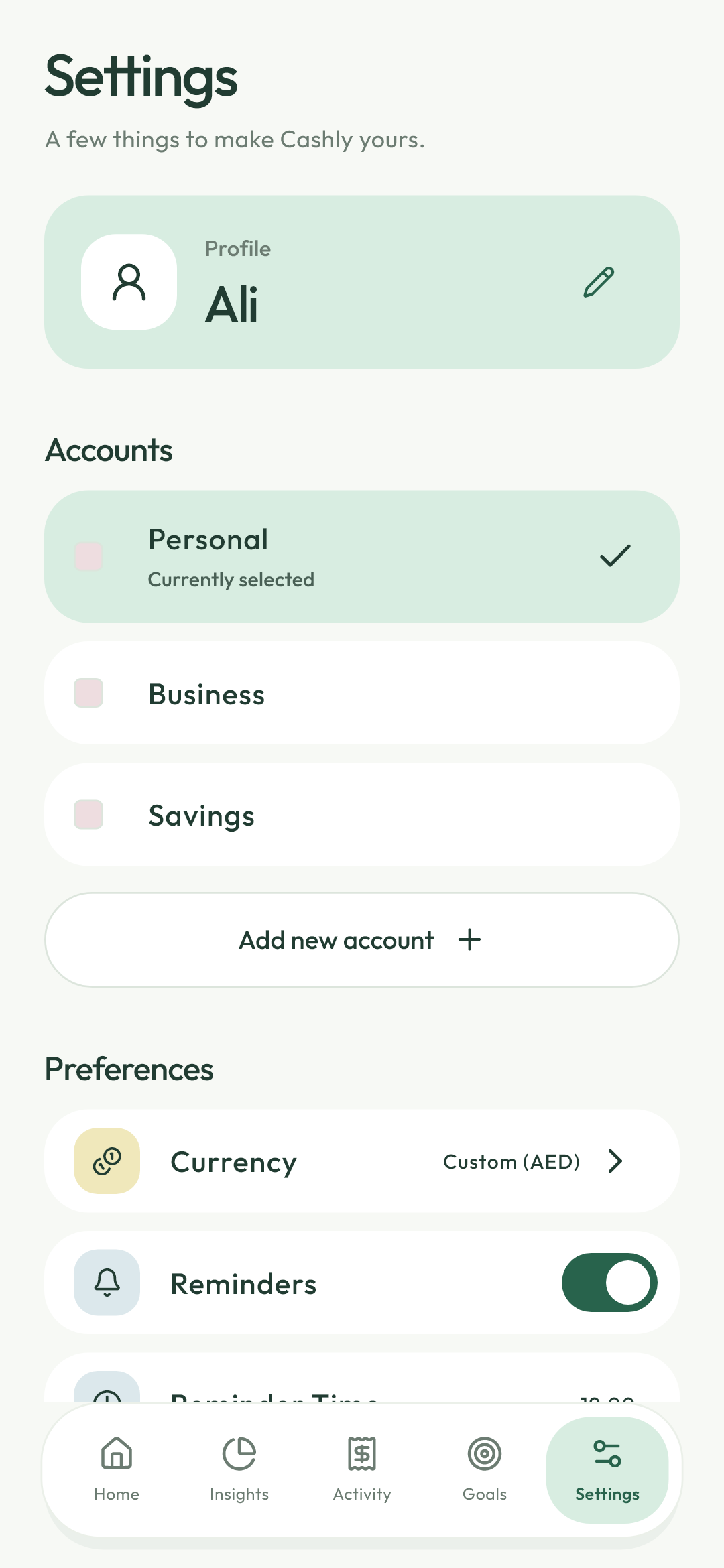
Run independent profiles for Personal, Business or Savings. Each account keeps its own transactions, categories and goals, and switching between them takes one tap.
Understand where the money went
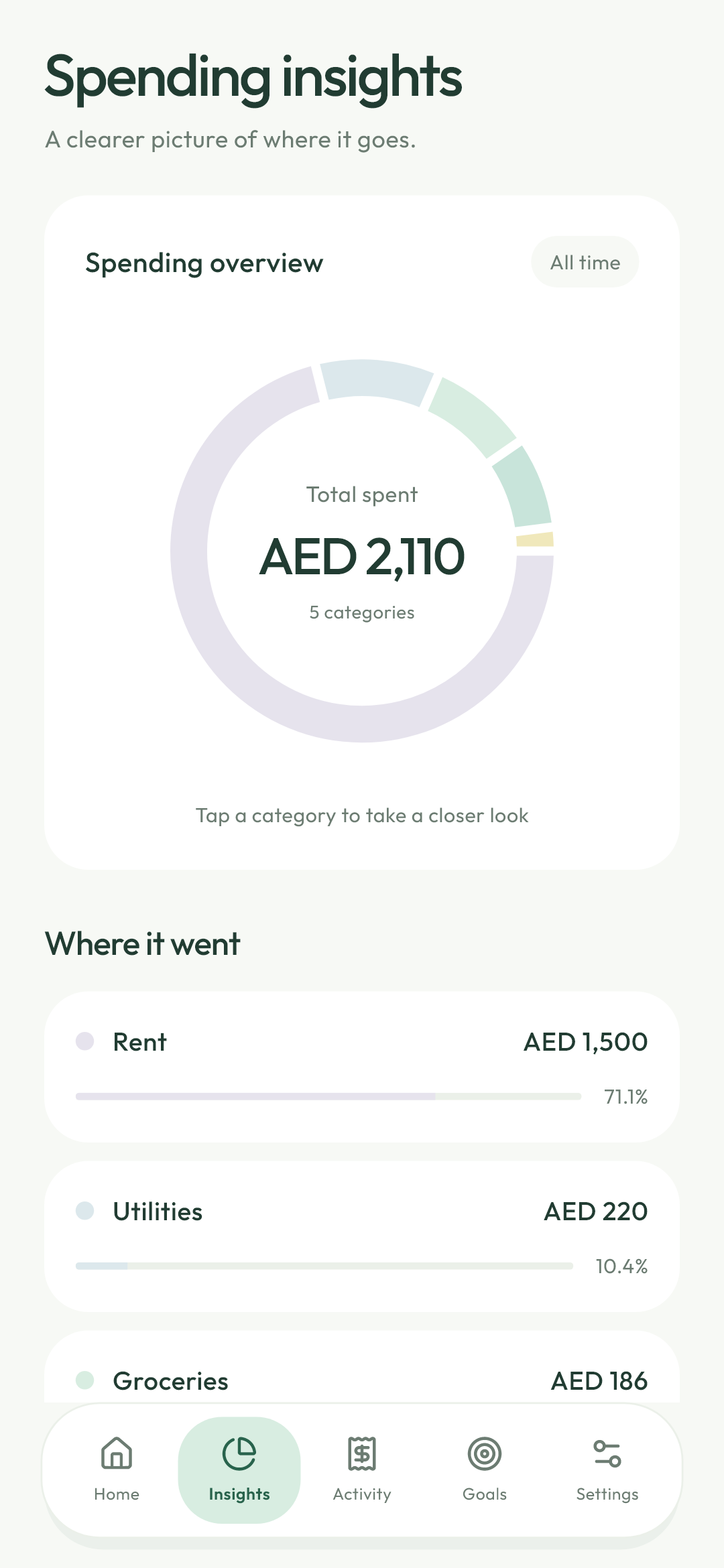
See your monthly spending at a glance, then tap into an interactive donut chart to break any category down by exact amount and percentage. Categories update the instant you log a transaction.
Save towards something
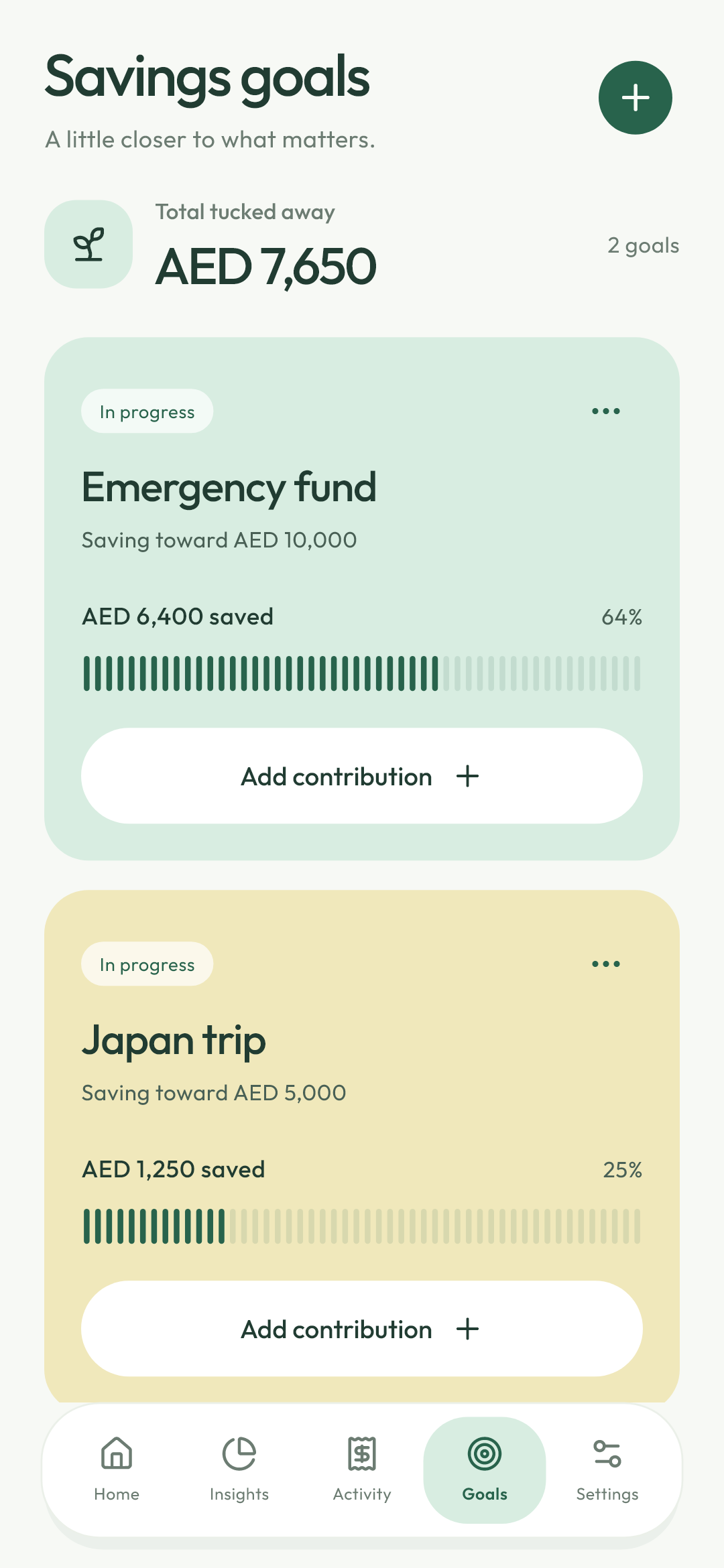
Set a savings target, log contributions as you make them, and watch the completion percentage climb.
Remember to actually log it
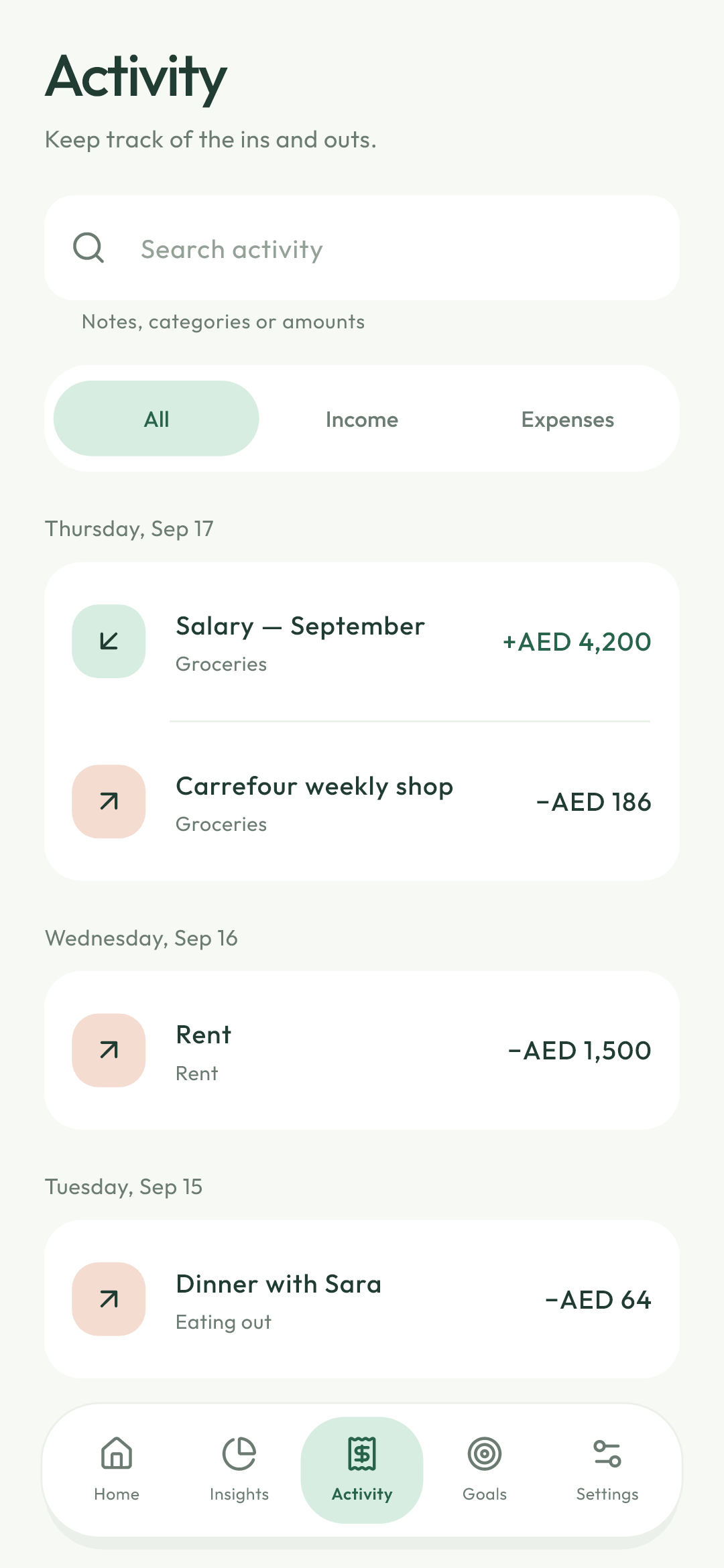
Pick your daily check-in time and how often you want reminding — once, twice or three times a day. Budgeting only works if you keep it current.
Your data stays yours
Export a full backup of every account, transaction and goal to a file you control, then restore it on any device. Move phones without losing a thing. There is no cloud to lock you in.
Built to be used daily
Mesh-gradient backgrounds, frosted-glass cards and a custom floating navigation bar. Expense tracking you won't avoid opening.
Details
- Any currency — set your own symbol or code
- Guided onboarding — coach marks highlight the real interface, not a slideshow
- Android 13+ ready — proper runtime notification permissions
- Local-first storage — powered by an on-device database, not a server
Screenshots
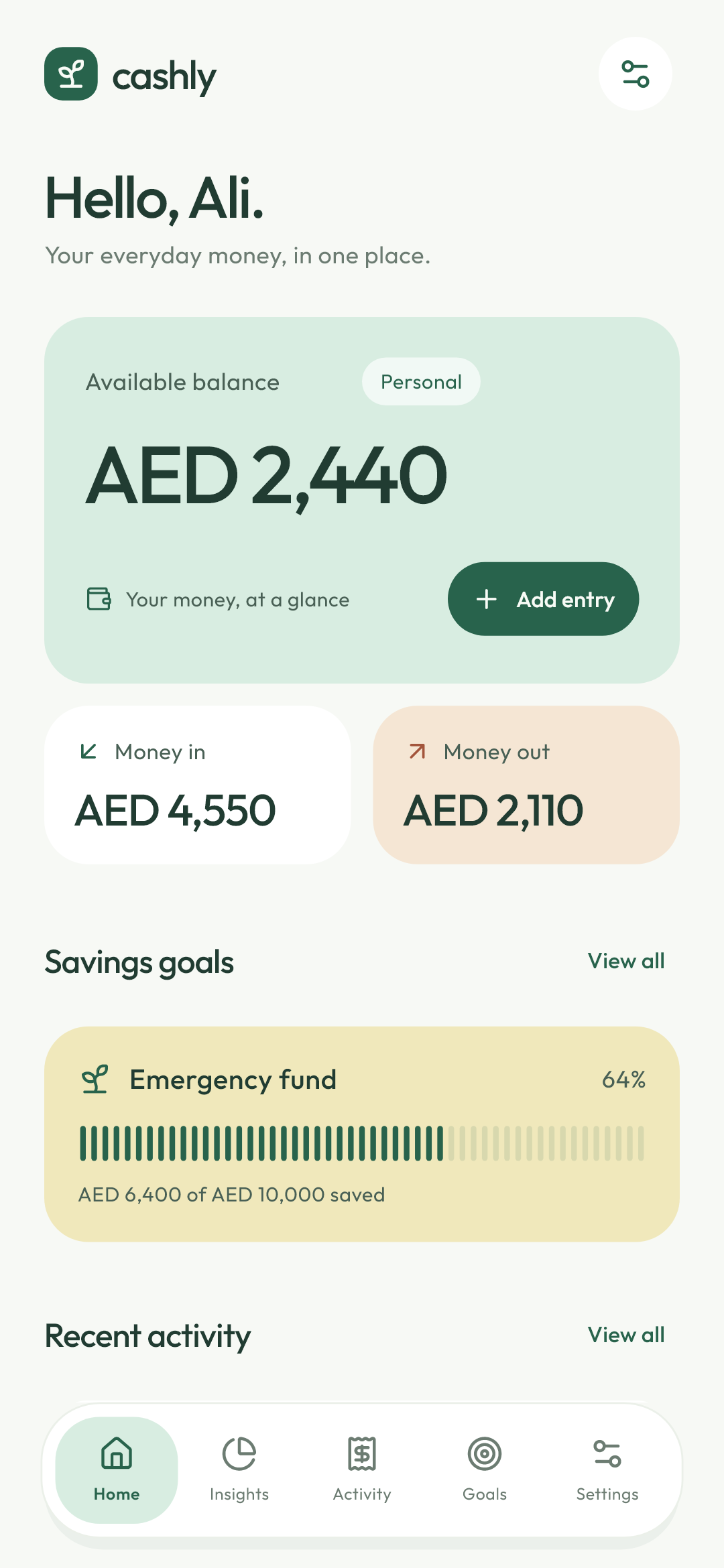
What It Does
Multi-Account Ecosystem
Run separate financial profiles for Personal, Business or Savings. Each keeps its own private transaction history, categories and savings goals, and you switch between them in a single tap.
Interactive Spending Analytics
A monthly spending overview plus a donut breakdown you can tap into — every slice reveals that category's exact amount and share of your spending.
Savings Goals
Set a target, add contributions whenever you put money aside, and track your progress with a live completion percentage.
Smart Daily Reminders
Choose your check-in time and how often you want nudging — once, twice or three times a day. Full Android 13+ notification permission support.
Full Backup & Restore
Export every account, transaction and goal to a single file you own, and import it back on any device. No cloud, no lock-in, no subscription holding your history hostage.
Works Completely Offline
Every feature runs with no internet connection. There is no server, no sync and no account — your data is written to an on-device database and never transmitted.
Any Currency You Like
Set your own currency symbol or code, so amounts read the way you actually think about them.
Glassmorphism Interface
Layered frosted-glass cards, mesh-gradient backgrounds and a custom floating navigation bar — a finance app that doesn't look like a spreadsheet.
Guided Onboarding
In-place coach marks walk you through the app by highlighting the real interface, so you learn where things are instead of sitting through a slideshow.
Zero Ads, Zero Tracking
No advertising SDKs, no analytics, no crash reporting, no third-party services of any kind. Free for everyone means free of all of that too.
App Information
- Publisher
- Codiate
- Category
- Finance
- Released
- September 5, 2026
- Last update
- September 5, 2026
- Support
- admin@codiate.com